
Photo GPS Data Extractor
Scan entire folders of images, extract lat/long/altitude, and export your findings in the formats you need.
User Guide:
This guide walks you through using the Photo GPS Data Extractor from start to finish. Each step is designed to help you extract GPS metadata quickly and securely from your image files — all offline.
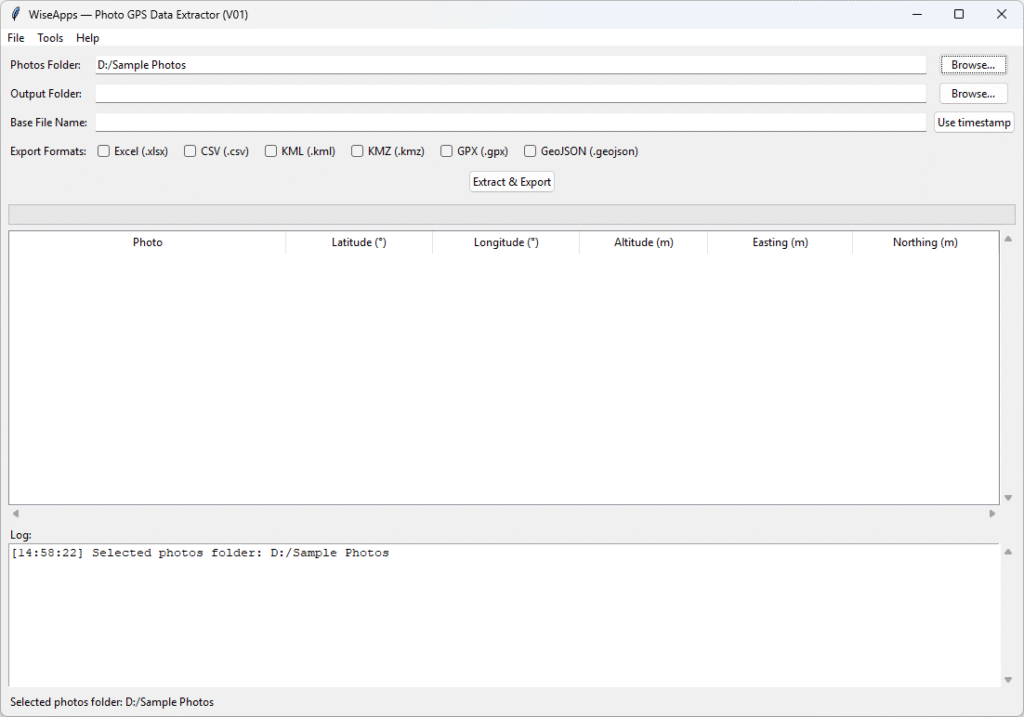
1. Choose your photos folder.
Click Browse… beside “Photos Folder” and select the folder containing your images.
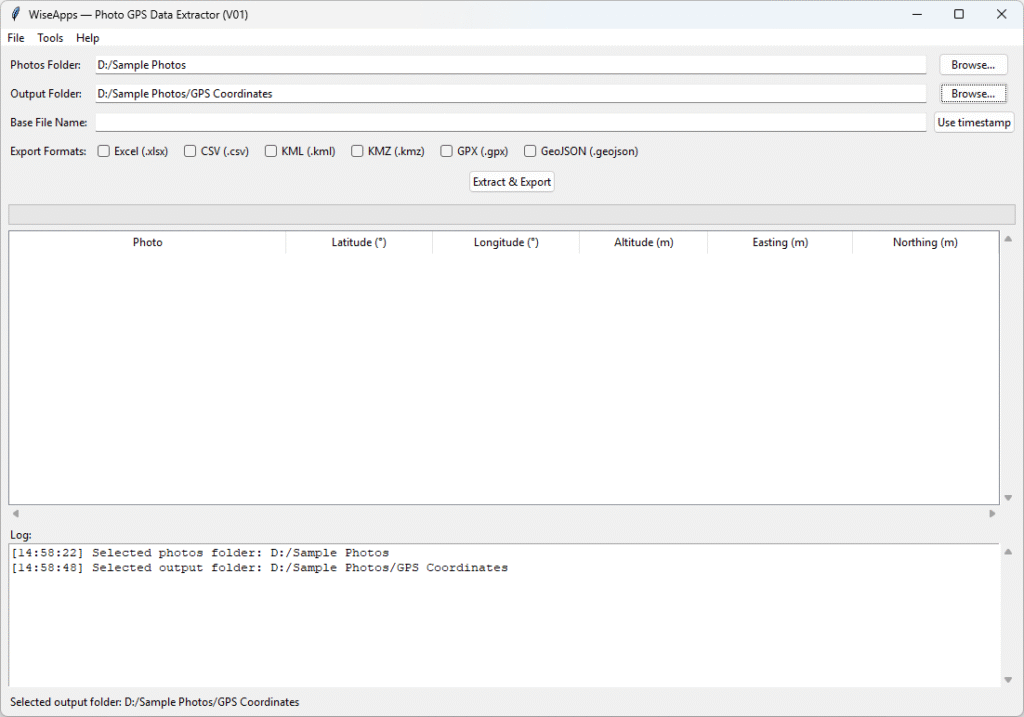
2. Select an output location.
Click Browse… beside “Output Folder” to choose where the results will be saved.
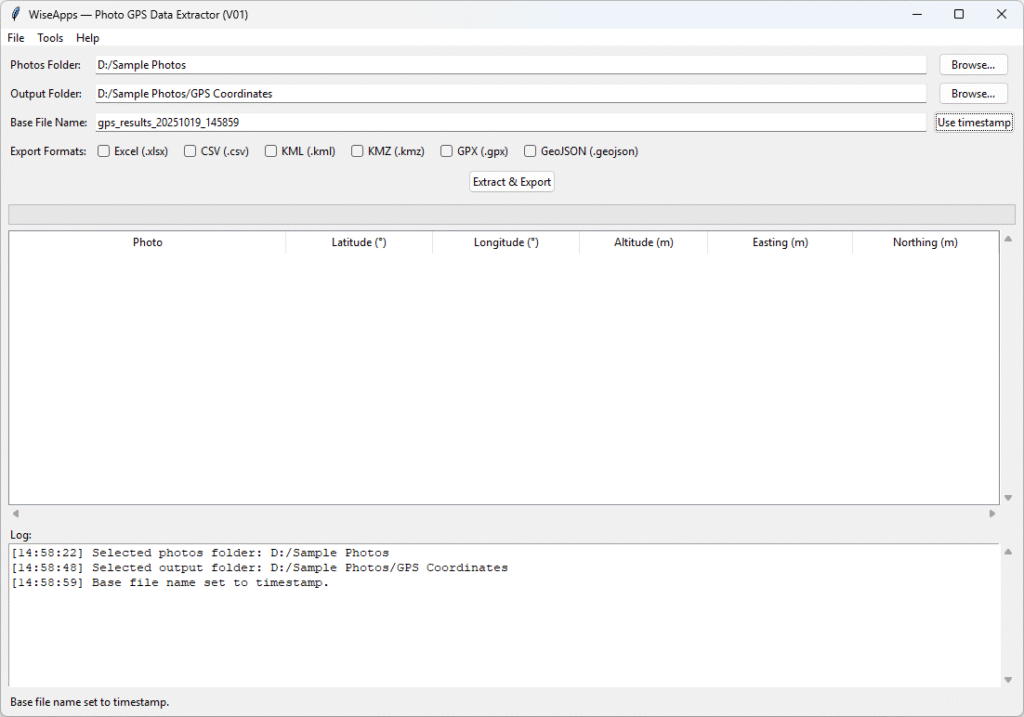
3. Define the base file name
Either type a custom base name or click Use timestamp to auto generate one with the current date and time.
4. Select export format(s)
Tick one or more options: Excel (.xlsx), CSV (.csv), KML (.kml), KMZ (.kmz), GPX (.gpx), GeoJSON (.geojson). You can choose multiple formats simultaneously.
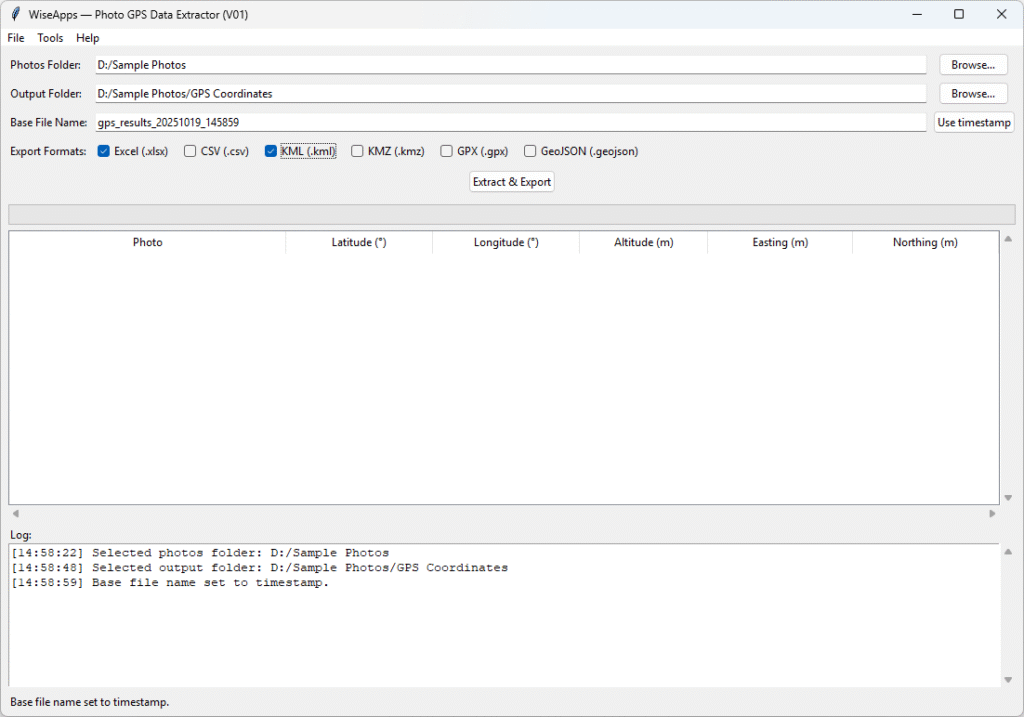
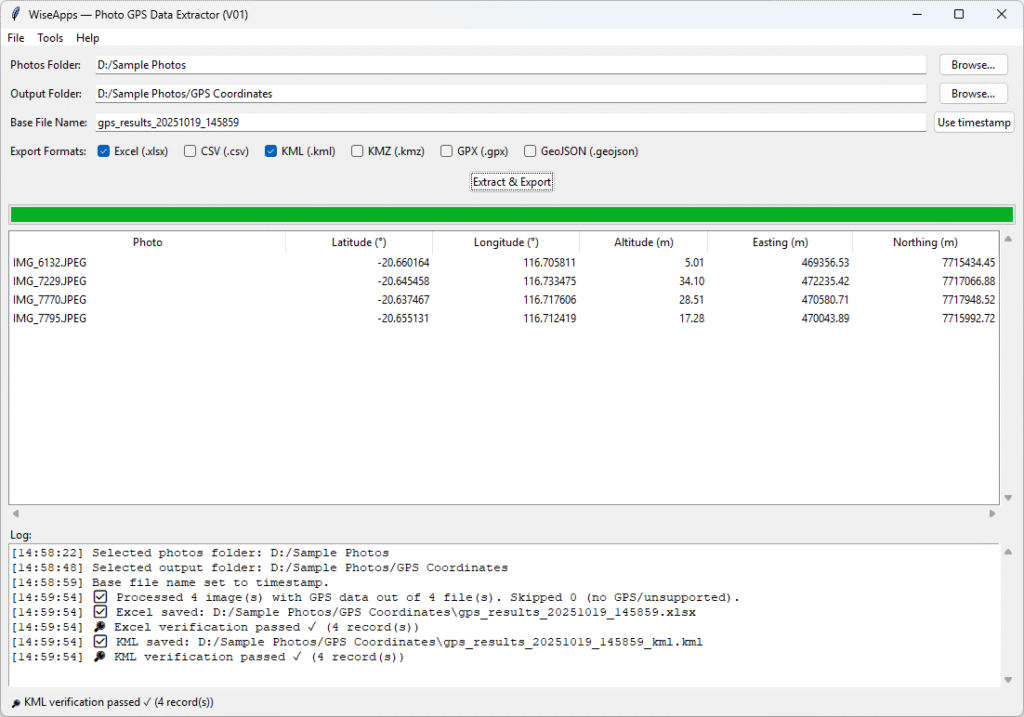
5. Click “Extract & Export”
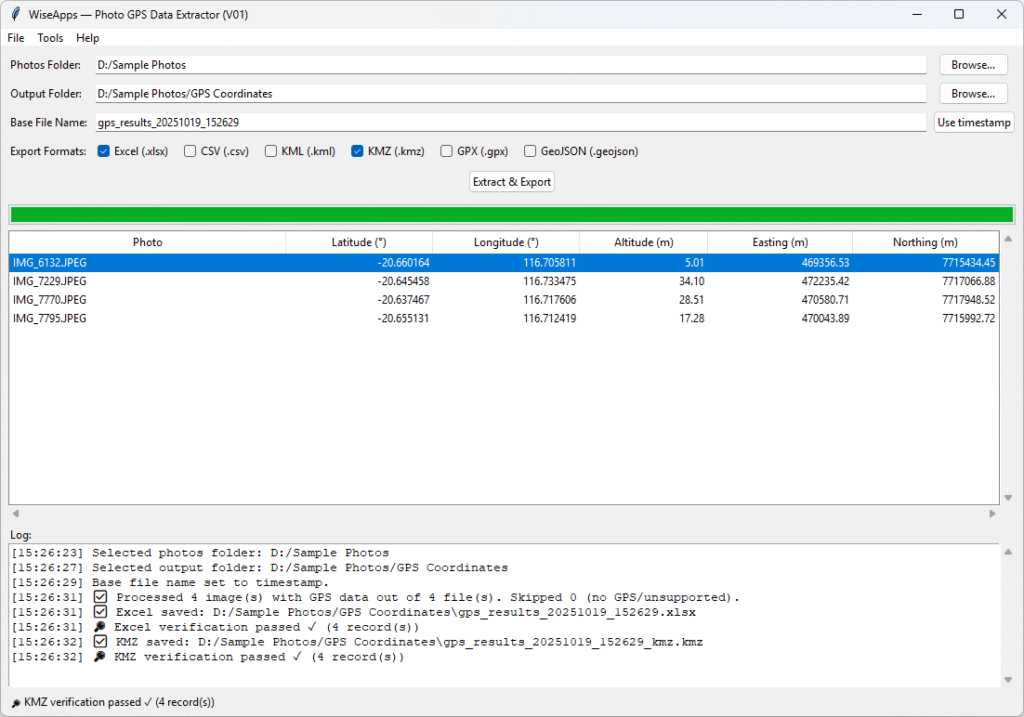
The progress bar will fill as each image is processed. Once complete, the results table displays each photo’s latitude, longitude, altitude and (if enabled) UTM easting/northing.
6. View and verify coordinates.
Double click any row to open the location in Google Maps. This verifies the coordinates and lets you view the spot on a map.
7. Locate your exported files.
Navigate to the output folder you chose earlier; you’ll see the generated files.
Version & Release Notes:
| Category | Details |
| Product | Photo GPS Data Extractor |
| Brand | WiseApps |
| Version | V01 |
| Build Date | 2025-10-04 |
| Release Type | Initial stable release |
System Requirements:
| Category | Details |
| Supported Platforms | Windows 10 / Windows 11 (64-bit only) |
| Image Formats | JPEG (.jpg/.jpeg), PNG (.png), TIFF (.tif/.tiff), HEIC, WebP |
| Export Formats | Excel (.xlsx), CSV (.csv), KML, KMZ, GPX, GeoJSON |
| Installation | No installation required |
| Runtime Environment | Standalone executable with bundled dependencies |
| Internet Connection | Not needed |
We love turning friction into flow. Whether it’s scripting away the repetitive bits or building tools that quietly handle the background tasks, we’re here to help you move faster with less effort.
At WiseApps, we don’t chase trends — we craft purposeful utilities that solve real problems. If something can be automated, streamlined, or simplified, we’ll find a way — and make it feel effortless.